Showing posts with label one. Show all posts
Showing posts with label one. Show all posts
Tuesday, November 18, 2014
HTC One X How To Change APN Settings Manually
Some mobile phone providers give customers Internet access point name , or APN Internet , this is a mandate to access the mobile network provider data manually . If you receive an error message after you enter APN Internet , you can not continue to access the data via the cellular network until you resolve the error , though you may be able to use the internet via WiFi for a while .
The majority of mobile operators do not require you to manually enter the APN settings for Internet access cellular data networks , this fact has been done automatically when you subscribe to a cellular data service . One of the reasons you would need access Internet APN manually is if you are traveling abroad and insert a different network SIM card into your phone. Alternatively , the cellular data network you felt slow and you believe that the use of the other will be faster.
APN Network name vs usernameAPN first you need to enter in order to successfully access the cellular data network is the network name , which is usually the name of the carrier . You do not have to get confused between the name of the network with a username , which is the name of the operator who assign specific users to access the network . If you enter the name of the carrier as a username or otherwise , you will not be able to connect .
Internet APN passwordAs well as using services that require authentication , the correct password is necessary to access these services . Since most phones hide the password you enter , try removing and re- enter your password with caution if you are unable to connect to the network , to minimize you make a mistake in entering the password .
WiFiRegardless of why you can not access the Internet via the APN , one way to enjoy Internet access while you know this is a problem connecting to the wireless adapter . The majority of smartphones , such as Android , BlackBerry and iPhone devices , has a WiFi adapter . Connect your phone to a nearby wireless network and start surfing the Internet .
How to Change APN in HTC One XWhen entering the following information do not press Save until told to in the instructions.
1. Tap the Applications key
2. Tap Settings
3. Tap Mobile network
4. Tap Access Point Names
5. Tap the 3 dots on the Top Right of the sceen
6. Tap New APN
7. Tap Name then tap the text box and enter O2 Pay Monthly then tap OK
8. Tap APN then tap the text box and enter wap.o2.co.uk then tap OK
9. Tap Proxy then tap the text box and enter 193.113.200.195 then tap OK
10. Tap Port then tap the text box and enter 8080 then tap OK
11. Tap Username then tap the text box and enter o2wap then tap OK
12. Tap Password then tap the text box and enter password then tap OK
13. Skip past Server as this is preset as Not set
14. Tap MMSC then tap the text box and enter http://mmsc.mms.o2.co.uk:8002 then tap OK
15. Tap MMS proxy then tap the text box and enter 193.113.200.195 then tap OK
16. Tap MMS port then tap the text box and enter 8080 then tap OK
17. Tap MCC then tap the text box and enter 234 then tap OK
18. Tap MNC then tap the text box and enter 10 then tap OK
19. Tap Authentication type and tap PAP
20. Tap APN type and type *
21. Press the 3 Dots on the Top Right of the Lcd
22. Tap Save
23. Tap the circle next to the new profile so a green dot appears in it
24. Press the Back key four times to return to the main menu.
Read More..
The majority of mobile operators do not require you to manually enter the APN settings for Internet access cellular data networks , this fact has been done automatically when you subscribe to a cellular data service . One of the reasons you would need access Internet APN manually is if you are traveling abroad and insert a different network SIM card into your phone. Alternatively , the cellular data network you felt slow and you believe that the use of the other will be faster.
APN Network name vs usernameAPN first you need to enter in order to successfully access the cellular data network is the network name , which is usually the name of the carrier . You do not have to get confused between the name of the network with a username , which is the name of the operator who assign specific users to access the network . If you enter the name of the carrier as a username or otherwise , you will not be able to connect .
Internet APN passwordAs well as using services that require authentication , the correct password is necessary to access these services . Since most phones hide the password you enter , try removing and re- enter your password with caution if you are unable to connect to the network , to minimize you make a mistake in entering the password .
WiFiRegardless of why you can not access the Internet via the APN , one way to enjoy Internet access while you know this is a problem connecting to the wireless adapter . The majority of smartphones , such as Android , BlackBerry and iPhone devices , has a WiFi adapter . Connect your phone to a nearby wireless network and start surfing the Internet .
How to Change APN in HTC One XWhen entering the following information do not press Save until told to in the instructions.
1. Tap the Applications key
2. Tap Settings
3. Tap Mobile network
4. Tap Access Point Names
5. Tap the 3 dots on the Top Right of the sceen
6. Tap New APN
7. Tap Name then tap the text box and enter O2 Pay Monthly then tap OK
8. Tap APN then tap the text box and enter wap.o2.co.uk then tap OK
9. Tap Proxy then tap the text box and enter 193.113.200.195 then tap OK
10. Tap Port then tap the text box and enter 8080 then tap OK
11. Tap Username then tap the text box and enter o2wap then tap OK
12. Tap Password then tap the text box and enter password then tap OK
13. Skip past Server as this is preset as Not set
14. Tap MMSC then tap the text box and enter http://mmsc.mms.o2.co.uk:8002 then tap OK
15. Tap MMS proxy then tap the text box and enter 193.113.200.195 then tap OK
16. Tap MMS port then tap the text box and enter 8080 then tap OK
17. Tap MCC then tap the text box and enter 234 then tap OK
18. Tap MNC then tap the text box and enter 10 then tap OK
19. Tap Authentication type and tap PAP
20. Tap APN type and type *
21. Press the 3 Dots on the Top Right of the Lcd
22. Tap Save
23. Tap the circle next to the new profile so a green dot appears in it
24. Press the Back key four times to return to the main menu.

Monday, November 17, 2014
HTC One X How To Change Alarm Sound
The first thing a person does when having a new phone is changing his ringtone. Depending on what android gadget you have, the sound options for alarm, notification and ringtone will be very different. But if you might not be too happy with the sounds that exist by default on your phone, you can actually replace it with a voice that you have prepared. Its just that some people may not know how to replace it on the android phone.
Before we begin Standart Voice Changing our Android phone, you should choose the first sound of what we will use. Do not forget that the extension is also important to note. Android normally support the extension. Mp3 or. Ogg. So if you choose one of these extensions sound then there will not be a mismatch problem with your phone later.
There are two ways to change the alarm sound on your device: The Personalize utility and the All apps menu.
Personalize:
From the Home Lcd, tap the Personalize tab (paint brush and palate).
Tap Alarm.
Tap the desired notification sound.
Tap Apply.
All apps
From the Home Lcd, tap the All apps icon.
Tap Clock.
Tap the Alarms icon at the bottom of your Lcd.
Tap the desired alarm.
Tap Alarm sound.
Tap the desired notification sound.
Tap Apply.
Tap Done.
Thus you have successfully Changing the Sound Standard your Android phone with the sound that you want. Hopefully a little above tips can be useful for you Android lovers
Read More..
Before we begin Standart Voice Changing our Android phone, you should choose the first sound of what we will use. Do not forget that the extension is also important to note. Android normally support the extension. Mp3 or. Ogg. So if you choose one of these extensions sound then there will not be a mismatch problem with your phone later.
There are two ways to change the alarm sound on your device: The Personalize utility and the All apps menu.
Personalize:
From the Home Lcd, tap the Personalize tab (paint brush and palate).
Tap Alarm.
Tap the desired notification sound.
Tap Apply.
All apps
From the Home Lcd, tap the All apps icon.
Tap Clock.
Tap the Alarms icon at the bottom of your Lcd.
Tap the desired alarm.
Tap Alarm sound.
Tap the desired notification sound.
Tap Apply.
Tap Done.
Thus you have successfully Changing the Sound Standard your Android phone with the sound that you want. Hopefully a little above tips can be useful for you Android lovers
Tuesday, September 23, 2014
How to Unlock HTC One M8 Bootloader All Variants
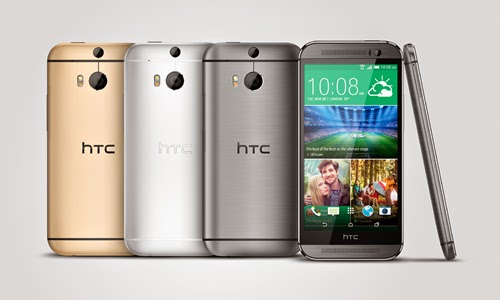
Already a proud owner of HTC One (M8) Android smartphone? Then you can now root the device / unlock the boot loader. The best part is that the method which we will be discussing is valid for all the HTC One M8 variants. So after checking out the list of quick pre requisites, we will be checking out in detail on what are the instructions with which you can unlock the boot loader.
Quick Pre Requisites:
Quick Pre Requisites:
- All the data in your device needs to be backed up with the help of below mentioned steps manually and not with HTC Sync.
SMS – Use “SMS Backup & Restore app”,
Contacts – Sync with the Gmail application,
Call Log - Call Log and Restore
Images, Songs, Videos, Files – Copy to internal / External SD Card,
APN and MMS Settings – Note down from the path “Applications > Settings > Wireless and Network > Mobile Networks > Access Point Names”
- Head over to the path “Settings > Applications > Development > USB debugging” in your HTC One M8 so as to enable the USB Debugging Mode. Make sure that you have installed the Android ADB in your computer.
Disclaimer: We should not be held responsible in any manner for any damage happened to your HTC One M8 due to not following the instructions mentioned in the article.
Once you have backed up all the data in your device, you now will have to proceed to the next step where we have mentioned the detailed guide which will help you update the device.
Procedure to Unlock the Boot loader in HTC One M8 Android Phone:
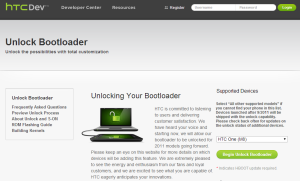
- Head over to the HTC Dev website and Open the Boot loader Unlock Page.
- Up next, you need to Select HTC One (M8) in the Supported Devices drop-down menu and click on Begin Unlock Boot loader. Agree to all the terms and conditions to proceed further.
- Now, turn off your HTC One M8 Android phone so that it can be entered in the boot loader mode. Boot loader mode in HTC One M8 can be entered by pressing the Volume down and power keys. Use the volume keys to highlight on the “fastboot” and select the same with the help of the Power button.
- Once your device enters in the fastboot mode, you now need to connect your M8 to the computer with the help of original USB cable.
- Open the command prompt in your computer to enter the below mentioned command to find out on whether the device is successfully connected to the computer or not.
Fastboot devices
- Once the above command is entered, you will see that the device serial number is displayed after which you need to enter the below mentioned command;
Fastboot oem get_identifier_token
- Right click inside the CMD window and click on Mark. Select everything from <<<
>>> to <<< >>>. Right click again to copy the text. Once you see the token, you then will have to proceed to the HTC Dev Website to locate the My Device Identifier token box. - Paste the token and click on Submit. After few minutes, HTC will send you the unlock code to your email address. Just open your email and download the attached Unlock_code.bin file in your computer.
- Open the file of Unlock_code.bin and and press SHIFT key and right click on the empty space inside the folder where the Unlock code is present. After this, you need to select the Open command prompt here and enter the below mentioned command in your device;
fastboot flash unlocktoken Unclock_code.binNow, your device will ask you to confirm which can be done with the help of on Lcd instructions.Note: If at all your HTC One M8 smartphone gets in the boot loop mode, then you need to turn off the device and then reapply the update from the start. To turn off you long press the power button and repeat the whole process again.
Do let us know in the comments section just in case if you face any issues in the process of boot loader unlock.
Sunday, September 21, 2014
Allmost All Cracked Cydia Apps Collection All In One Archive
I am just sharing what Ive `found & collected` on other various forums and repos. Developers of those apps and their respective crackers deserve their credits. I know that this archive will be use to many people so here it is...
:ALL USEFUL DEBS IN ONE PLACE:
Package #1:
Name: Camera Zoom v1.0
Description: Neat camera app with ZOOM feature.
--------
Package #2:
Name: ClearCam1.1.2 v1.1.2
Description: take 4megapixels pictures
--------
Package #3:
Name: Cyntact v1.3.1-1
Description: show profile pictures in contact lists
Depiction: http://cydia.saurik.com/info/cyntact/
--------
Package #4:
Name: EasyWakeup Full Cracked v2.7.4
Description: Cracked by HunterX. Wanna wake up easier? You need this app! It use accelerometer for detect best awake time (based on sleep phases knowledge). You will simply set a guide time in which your alarm must wake you, and the alarm will wake you up at the opportune time in your given time period.
Depiction: http://moreinfo.thebigboss.org/morei...sywakeupDpData
--------
Package #5:
Name: GriP - Growl for iPhoneOS v0.1-11p {free}
Description: This also includes "MemoryWatcher" and "Youve Got Mail" (new mail notifier). GriP lets iPhoneOS applications and extensions unintrusively tell you when things happen.
--------
Package #6:
Name: MCleaner v1.8.0
Description: MCleaner is a iPhone Call and SMS Filter program. With MCleaner you can block incoming calls and SMS messages automatically and protect your privacy. MCleaner allows you to create Blacklists, Whitelists, Profiles and Schedules to meet your individual needs. Its easy to use and good for you when you are busy, constantly in important meetings,telephone marketing or have a couple of lovers.
Depiction: http://www.mcleaner.com/iphone/mcleaner1.5.0.html
--------
Package #7:
Name: PKGBackup v3.0.10
Description: backup all you cydia apps
--------
Package #8:
Name: PhotoShare Web v1.0.1-1
Description: Share photos directly from the built-in Photos and Camera applications!
Depiction: http://moreinfo.thebigboss.org/morei...tosharewebData
--------
Package #9:
Name: PkgBackup v3.0.8
Description: This is a K.I.S.S.(Keep It Simple & Stupid) backup application that allows you to back up & restore all the cydia packages installed in your iphone. You can even share/exchange/send your packages lists to others. Im counting on your support & comments to make this app more KISSable
 . The application is also Facebook Connect enable so that you can proudly share the apps you have on your iPhone.
Depiction: http://moreinfo.thebigboss.org/morei...ydiabackupData
--------
Package #10:
Name: PkgBackup v3.0.12
Description: This is a K.I.S.S.(Keep It Simple & Stupid) backup application that allows you to back up & restore all the cydia packages installed in your iphone. You can even share/exchange/send your packages lists to others. Im counting on your support & comments to make this app more KISSable
. The application is also Facebook Connect enable so that you can proudly share the apps you have on your iPhone.--------
Package #11:
Name: Qik v3.96 {free}
Description: Qik enables live video streaming from your iPhone to the web.
Depiction: http://moreinfo.thebigboss.org/morei...p?file=qikData
--------
Package #12:
Name: SBAdBlockToggle v1.4 {free}
Description: SBAdBlockToggle
Provides a way to switch between AdBlock and Non-AdBlock host file using SBSettings.
Recent Changes
(v 1.2)
* Added dependency for coreutils. Thanks spamdumpster
* Added icons for default theme. Thanks DarkLord468
(v 1.3)
* Disabled iPhone App Kill switch while in adblock mode
(v1.4)
* Updated to the latest host file by rbisconti97 (05-Aug-2009)
Depiction:
--------
Package #13:
Name: Safari Download Manager v1.0.0-1
Description: A full Download Manager for Mobile Safari. Safari Download Manager is an extension that adds a powerful, highly-configurable download manager to the iPhones built-in web browser. It is intended as a replacement for other plugins that insert download prompts into web displays, and offers finer-grained control over what is download and what is not, as well as control over running and completed downloads. Multiple downloads can be running at one time, without interrupting your browsing experience.
Depiction: http://moreinfo.thebigboss.org/morei...downloaderData
--------
Package #14:
Name: Safari Download Manager v1.3.0-1
Description: A full Download Manager for Mobile Safari.
Depiction: http://howett.net/cydia/depict/sdm/index.html
--------
Package #15:
Name: Stack v3.0
Description: Internal build of Stack v3 for testing.
Requires iPhone OS 3.0.
Depiction:
--------
Package #16:
Name: StatusNotifier v0.2.11 {free}
Description: Email, SMS, MMS, IM, Call, Voicemail notification in status bar.
Depiction: http://*****i.com/info/statusnotifier.d.php
--------
Package #17:
Name: Supreme Preferences 3.0 v1b8
Description: Over 100 new features added to Settings!
--------
Package #18:
Name: ToneFXs v1.501
Description: Shuffle ringtones & customize sound effects
Depiction: http://repo.smxy.org/cydia/info/tonefxs/
--------
Package #19:
Name: YourTube v1.0.0-1
Description: YouTube.app as it was meant to be. This package adds a fully integrated downloader so you can keep those great videos you love to watch and show to friends.
Depiction: http://*****i.com/info/yourtube.d.php
--------
Package #20:
Name: AttachmentSaver v1.1.0
Description: Mail.app as it was meant to be. This package adds an extension which allows you to save Mail attachments directly to your iPhone.
Depiction: http://*****i.com/info/attachmentsaver.d.php
--------
Package #21:
Name: biteSMS v4.1
Description: You love your iPhone as much as we do? You text all the time? Want more features? Then biteSMS is for you, with lots of extra features like Smileys, Quick Reply, Quick Compose / Quick Call, Privacy, a Character / SMS Counter and much more!<br><br>You can use biteSMS as a replacement to the built-in Messaging application, and send messages via your mobile carrier as you normally do. Or, if your mobile carrier charges a lot for sending SMS messages (say texting to overseas), you can buy credits and send them via the biteSMS network instead, which can be <b>much cheaper</b>.
Depiction: http://moreinfo.thebigboss.org/morei...SDepiction.php
Cracker: wortel
--------
Package #22:
Name: biteSMS v4.2
Description: You love your iPhone as much as we do? You text all the time? Want more features? Then biteSMS is for you, with lots of extra features like Smileys, Quick Reply, Quick Compose / Quick Call, Privacy, a Character / SMS Counter and much more!<br><br>You can use biteSMS as a replacement to the built-in Messaging application, and send messages via your mobile carrier as you normally do. Or, if your mobile carrier charges a lot for sending SMS messages (say texting to overseas), you can buy credits and send them via the biteSMS network instead, which can be <b>much cheaper</b>.
Depiction: http://moreinfo.thebigboss.org/morei...SDepiction.php
Cracker: wortel
--------
Package #23:
Name: Cyntact v1.3.2-1
Description: show profile pictures in contact lists
Depiction: http://cydia.saurik.com/info/cyntact/
--------
Package #24:
Name: QuickScroll v0.1-12d {free}
Description: Quickly scroll through anything. PDF paging. Initiate with triple tap.
--------
Package #25:
Name: iBirthdays v2.0
Description: Cracked by HunterX, The iBirthdays helps you remember all the birthdays of your contacts.
Depiction: http://moreinfo.thebigboss.org/morei...ibirthdaysData
--------
Package #26:
Name: iBluetoo***.0 v1.0.8
Description: first application for transfer files via Bluetooth
--------
Package #27:
Name: iDitDahText v1.1-1
Description: Type text fast using morse code!
Cracker: isamoto
--------
Package #28:
Name: iSteamy v3.6
Description: disfruta de videos y fotos XXX en tu iphone/ipod
Depiction: http://*********.org/depiction.php?id=iSteamy
--------
Package #29:
Name: iSutra v1.1.1
Description: Kamasutra is an ancient Indian book about human sexual behavior. iSutra its a unique Kamasutra teaching manual, without ***** contents and for teaching purpose.
--------
Package #30:
Name: iTypeFastR v1.1.2
Description: 3.0 and newer only. iTypeFastR is an extra keyboard application that helps you type faster and with less typos, through its smart design.
Depiction: http://xsellize.com/depic/?title=App&app=itypefastr
--------
Package #31:
Name: iWipe v1.0-1
Description: utility to zero free space on the iPhone
Depiction: http://cydia.saurik.com/info/iwipe
Cracker: mastermark
--------
Package #32:
Name: iBlacklist v3.0-8
Description: iBlacklist (Cracked by Studguy1) is the best call blocker and SMS/MMS selector available for the iPhone. It ables you to select from who you want to receive calls and hide messages. It also removes the sms popup preview protecting your privacy, has parental control mode by blocking outgoing calls, can be fully scheduled and many other features. Try it , youll love it. Runs on 3.X and 2.x !!! PLEASE RESTART YOUR DEVICE AFTER INSTALL.
Depiction: http://moreinfo.thebigboss.org/morei...iblacklistData
--------
Package #33:
Name: mCoolPhone v1.3
Description: shake to answer call, flip over to hangup call or mute ringer, and a lot of more cool feature will be added
Depiction: http://www.mcleaner.com/iphone/mcoolphone.html
--------
Package #34:
Name: ToneFXs v1.500
Description: Shuffle ringtones & customize sound effects
Depiction: http://repo.smxy.org/cydia/info/tonefxs/
--------
Package #35:
Name: YourTube v1.0.0-1
Description: YouTube.app as it was meant to be. This package adds a fully integrated downloader so you can keep those great videos you love to watch and show to friends.
Depiction: http://*****i.com/info/yourtube.d.php
--------
Package #36:
Name: yxflash Cracked v2.0.0-1
Description: Cracked by HunterX. yxflash is video player for mobile devices, It supports High quality Xvid/Divx, Flash Video, and WMV playback on iPhone
Depiction: http://moreinfo.thebigboss.org/morei...le=yxflashData
Added (08/30/09):
37. 3G Unrestrictor v1.0.4 - 3G Unrestrictor is the premium succesor of VoIPover3G for iphone.
38. Inspell v1.1.0 - Adds a spell checker to input fields. (Cracker/buyer: zoogderrick2)
39. Cyntact v1.3.3-1 - show profile pictures in contact lists. (Cracker/buyer: zoogderrick2)
Package #40:
Name: MCleaner Cracked v1.8.1
Description: MCleaner Call and SMS Filter program.
MCleaner is a iPhone Call and SMS Filter program. With MCleaner you can block incoming calls and SMS messages automatically and protect your privacy. MCleaner allows you to create Blacklists, Whitelists, Profiles and Schedules to meet your individual needs. Its easy to use and good for you when you are busy, constantly in important meetings,telephone marketing or have a couple of lovers.
--------
Package #41:
Name: PdaNet Cracked v1.53
Description: PdaNet WiFi Router for iPhone.
PdaNet WiFi Router for iPhone. Now also supports USB connection for Windows users!
Works with FW 3.0
--------
Package #42:
Name: Snapture Cracked v3.0
Description: Snapture is full featured advanced camera app that extends the possibilities for iPhone photography.
Cracker: crash-x
--------
Package #43:
Name: StatusNotifier (3.0) v0.2.11-1 {free}
Description: Email, SMS, MMS, IM, Call, Voicemail notification in status bar.
Author: 3744111
--------
Package #44:
Name: Universal Search v1.08-1
Description: Search the web, right from Spotlight!
Depiction: http://repo.smxy.org/cydia/info/universalsearch/
Cracker: fusen
--------
Package #45:
Name: AdBlock v3.0.1
Description: AdBlock blocks ads in Safari [Cracked by Studguy1]
Depiction: http://moreinfo.thebigboss.org/morei...=adblockDpData
Package #46:Added (08/31/09):
Name: 6-IconDock v1.0 {free}
Description: 6 Icons on the dock!
Finder: TheZimm
--------
Package #47:
Name: 7-IconDock v1.0 {free}
Description: 7 Icons on the dock!
Finder: TheZimm
--------
Package #48:
Name: 8-IconDock v1.1 {free}
Description: 8 Icons on the dock!
Finder: TheZimm
--------
Package #49:
Name: CallController v0.4
Depiction: http://www.iclarified.com/entry/index.php?enid=3230
--------
Package #50:
Name: Categories v2.24 {free}
Description: Move your springboard icons into folders!
Depiction: http://moreinfo.thebigboss.org/morei...tegoriesDp.php
--------
Package #51:
Name: IntelliScreen v2.94.1
Description: IntelliLcd & Intellishared Patch by Studguy1
Depiction: http://*****i.com/info/intelliLcd.d.php
--------
Package #52:
Name: iPhoneDelivery v0.1 {free}
Description: A SMS delivery report hack
Package #53:Download the latest archive file comprising 58 debian packages from here: http://rapidshare.com/files/27391532...Collection.tar
Name: Battery Control Premium Cracked v1.0.1
Description: *3.x OS ONLY* Fine-grain control over the status bar battery. This will let you show percentage and/or the battery icon on any 3.x iDevice. The premium features (99c) add custom settings for low battery and charging, styles for the percentage, the ability to remove the percent symbol and tapping the battery to switch to percentage.
--------
Package #54:
Name: Installous v2.0.3
Description: Installous is the perfect app to install your downloaded IPAs.
--------
Package #55:
Name: MyWi Cracked v0.96.1
Description: Instant WiFi HotSpot with your 3G/3GS iPhone!
Instant WiFi HotSpot with your 3G/3GS iPhone!
Does not work with the iPhone 2G
--------
Package #56:
Name: gpSPhone Cracked v6.6.5
Description: Gameboy Advance Emulator!
--------
Package #57:
Name: iProtect Cracked v1.1
Description: Protect the contents of your iPhone, blocking all applications with a password and a SIM Card control.
--------
Package #58:
Name: ultrasn0w v0.91-1
Description: Unlock your iPhone 3G or 3GS for use on any GSM carrier!
(Size: 30402 KB)
New packages are on the way...
Tuesday, September 16, 2014
HTC One M8 User Guide
HTC One M8 Troubleshooting - Are you HTC One M8 owners? in this site we provide about informations about HTC One M8 troubleshooting, in the HTC One Troubleshooting contents is a how to transfer data from SIM card to phone,How to reset password, how to transfer items using to media card
 And this site we provide free download HTC One M8 user manual,
Troubleshooting tips of HTC One M8 at a Glance
Transfer data from an iPhoneor Android device
1. You must be connected to a Wi-Fi network on both your old device and on your HTC device.
2. On your HTC device, visit www.HTC.com/deviceswitchapp and download the device switch app.
3. Open the device switch app.
4. Complete the instructions on the Lcd.
How to reset if you losing or forgotten your ID password?
Do one of the following:
1. To reset your password on a computer, visit www.htc.com. Click Reset your password. Complete the instructions on the Lcd.
2. To reset your password on your htc device, when you are prompted to sign in with your HTC, click Forgot Password. Answer your security question and complete the instructions on the Lcd.
If you can’t transfer items using your media card?
Try any of the following:
1. Back up items from your media card to another source, such as your htc device built-in media storage or your desktop computer. Format your media card or purchase a new media card. Save the items that you backed up to the media card and then try transferring the items again.
2. Use HTC Link to transfer your info from one device to another. To download HTC Link, on your computer, visit www.com. select the Windowsor Macoption.
Why some of the data from my previous device isn’t on my new device?
Try any of the following:
1. Check that your personal email accounts have been set up. Email accounts aren’t transferred and need to be set up in theHTC Hubon the device.
2. Check that your work email accounts have been set up. For a Microsoft ActiveSyncemail account on a HTC Enterprise Server, contact your administrator for the information required to activate the account.
3. Look for memos and tasks in the HTC Remember app.
4. Transfer apps by downloading them from the HTC World Storefront.
Free download HTC One M8 user manual 4.16MB
Read More..

Troubleshooting tips of HTC One M8 at a Glance
Transfer data from an iPhoneor Android device
1. You must be connected to a Wi-Fi network on both your old device and on your HTC device.
2. On your HTC device, visit www.HTC.com/deviceswitchapp and download the device switch app.
3. Open the device switch app.
4. Complete the instructions on the Lcd.
How to reset if you losing or forgotten your ID password?
Do one of the following:
1. To reset your password on a computer, visit www.htc.com. Click Reset your password. Complete the instructions on the Lcd.
2. To reset your password on your htc device, when you are prompted to sign in with your HTC, click Forgot Password. Answer your security question and complete the instructions on the Lcd.
If you can’t transfer items using your media card?
Try any of the following:
1. Back up items from your media card to another source, such as your htc device built-in media storage or your desktop computer. Format your media card or purchase a new media card. Save the items that you backed up to the media card and then try transferring the items again.
2. Use HTC Link to transfer your info from one device to another. To download HTC Link, on your computer, visit www.com. select the Windowsor Macoption.
Why some of the data from my previous device isn’t on my new device?
Try any of the following:
1. Check that your personal email accounts have been set up. Email accounts aren’t transferred and need to be set up in theHTC Hubon the device.
2. Check that your work email accounts have been set up. For a Microsoft ActiveSyncemail account on a HTC Enterprise Server, contact your administrator for the information required to activate the account.
3. Look for memos and tasks in the HTC Remember app.
4. Transfer apps by downloading them from the HTC World Storefront.
Free download HTC One M8 user manual 4.16MB
Thursday, September 11, 2014
PSP ALL Firmware Downgrader tutorial one exe
PSP ALL Firmware, Downgrader, tutorial one exe
6.20 = 1G,2G, 3G, 4G, 5G
6.35 = 1G,2G, 3G, 4G, 5G, 7G, 9G
6.39 = 1G,2G, 3G, 4G, 5G, 7G, 9G
6.60 = 1G,2G, 3G, 4G, 5G, 7G, 9G,


here:
PSP TOOLS.exe
here:
Get PSP_TOOLS.exe on Wupload.com
6.20 = 1G,2G, 3G, 4G, 5G
6.35 = 1G,2G, 3G, 4G, 5G, 7G, 9G
6.39 = 1G,2G, 3G, 4G, 5G, 7G, 9G
6.60 = 1G,2G, 3G, 4G, 5G, 7G, 9G,
here:
PSP TOOLS.exe
here:
Get PSP_TOOLS.exe on Wupload.com
One Click Root method Available for Xperia Devices Z ZL Tablet Z and More Root guide Included
Actually you can root 21 Xperia handsets by using the tutorial described during the present lines while other Sony devices will be added to the supported list soon. But until then, the list from below is all we have and you should apply the one-click root solution only if your phone / tablet can be found on the same list. Else you can damage your device, or even brick it as after all, the root operation isn’t official and you will be making important changes into the internal system of your Android smartphone.
As mentioned the root process is a complex one that has nothing to do with Google and in our case with Sony. Therefore, you need to use custom procedures for gaining root access. In a few words by rooting the system, you are removing the factory restrictions and default settings for accessing the OS and the internal system. After unchaining your Sony Xperia handset you will be able to improve the performances, install apps that requires root access in order to work properly, update with custom ROMs, overclock, upgrade the battery life, remove in-built programs and so on.
Since the root operation isn’t official, when trying to gain root access, usually you will have to follow risky tutorials that might brick your smartphone / tablet. But now you have nothing to worry about as you can easily and safely root your Xperia Z, ZL, Tablet Z and more by using a one-click root solution. The tool has been designed and offered by those of xda-developers so we have them to thanks for the present step by step guide. Do remember that this guide is compatible with only 21 Xperia devices, so before getting started, check the following list:
Supported devices
- The warranty of your handset will get void, so be careful in what you apply and try not to mess things up – use the steps from below, don’t perform things by yourselves.
- The warranty can be restored as soon as you downgrade to stock Android OS, or when updating with an official release of the Android system. Also, a un-root method will work.
- You should backup the data from your device’s internal storage memory. Usually, when dealing with such operations the data gets wiped out or corrupted and you can lose all of your personal data, info and accounts. So, the best will be to avoid these situations by completing a backup in advance.
- For the backup I recommend you to use suitable backup and restore apps from Google Play – if you don’t know which app to use, search through our website for suitable tutorials or use the comments area from below for asking more details.
- Even though we are dealing with a one-click root solution, a computer or notebook is still required. You will install and run the tool from your computer, so your Xperia device and its USB cable are also required.
- Since you will connect the devices, first enable the USB debugging option on your phone / tablet by heading to “Settings -> Applications -> Development -> USB debugging”.
- Even though the root process will take only a few seconds, it is still recommended to charge your device, especially if you notice that there is less than 60% power left.
- Don’t forget to deactivate the security protection that is running on your computer because the antivirus tools might interfere with our work.
- Also, check the list from above in order to see if your Sony Xperia device is being compatible with this step by step guide; if not try to use a guide that has been developed only for your phone / tablet.
How to Root Xperia Devices using One-Click Root method
- As already mentioned, first of all, you need to get the rooting package on your computer.
- In order to do so, go here and download the one-click root tool from the xda-developers page.
- Save the file on your computer, preferable on desktop.
- Unzip the file.
- Then, run the root.bat executable file.
- Connect your Xperia device with the computer.
- Use the official USB cord for establishing the connection.
- Return to the root tool.
- Follow the on Lcd directions and root your handset.
- In the end, unplug the USB cable and reboot your phone.
Monday, August 25, 2014
Working 100 cell One S100 Flash File DOWNLOAD
Info :
IFLY23D_09A_PCB01_GPRS_MT6223_S00.F10100_B23181F_S 100_100813_V01.BIN
Flash Size: 8.MB
Password: Dalimkcp@yahoo.com
Click Download
Read More..
IFLY23D_09A_PCB01_GPRS_MT6223_S00.F10100_B23181F_S 100_100813_V01.BIN
Flash Size: 8.MB
Password: Dalimkcp@yahoo.com
Click Download
Subscribe to:
Posts (Atom)
